
Internal comms that
people actually see.
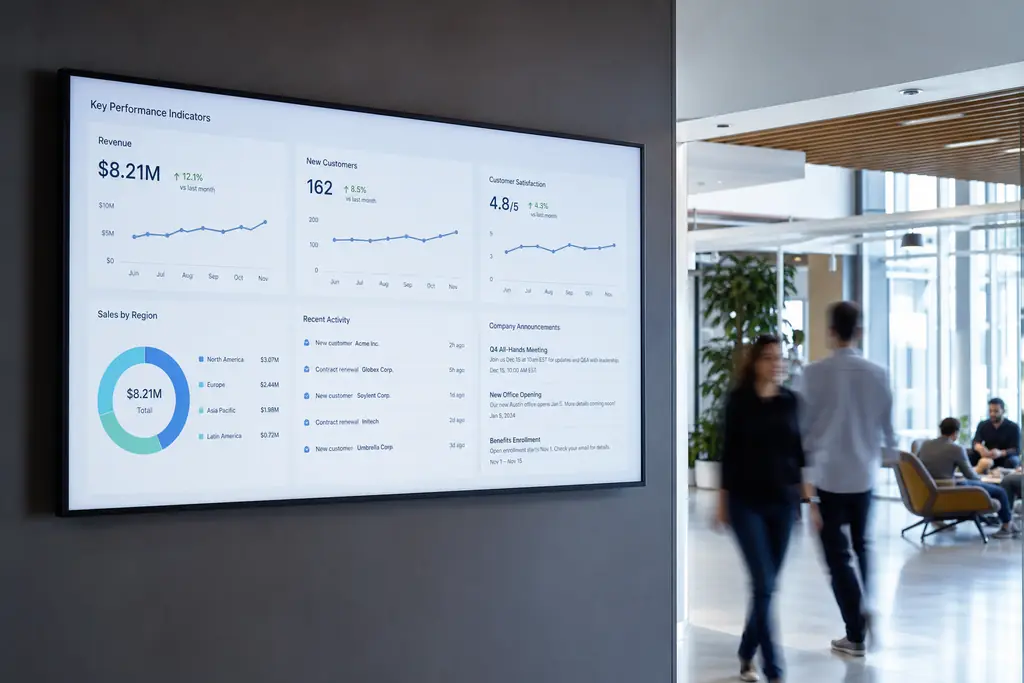
Email gets buried. Slack scrolls past. BryteCast puts your KPIs, announcements and meeting-room info on screens nobody can miss.
- Live KPI dashboards on the floor
- Wayfinding & meeting-room info
- Announcements pushed from HR or IT
- SSO-ready, RLS-secured workspaces
The problem
Static screens cost you sales.
Important emails get ignored
All-hands messages compete with 200 other unread emails in the inbox.
Slack notes scroll past
By 11am your morning announcement is buried under 40 channel messages.
Emergency comms are slow
Building closures or IT outages need a way to reach everyone, instantly.
What to put on screen
Content that drives action.
Live KPI walls
Sales targets, sprint velocity, NPS — embed live dashboards on any screen.
Company announcements
New hires, all-hands reminders, OKRs — keep culture front-of-mind.
Meeting room displays
Show what's booked, what's free and let staff find rooms instantly.
Lobby & visitor screens
Welcome guests by name, share Wi-Fi info and showcase your brand.
Built for corporate offices
Everything you need, nothing you don't.
Workspace permissions
Owner, admin and editor roles with row-level security on every record.
Push in real-time
Emergency messages override scheduled content within seconds.
Any TV or kiosk
Works with browser-enabled screens, Firesticks and Android TV boxes.
Schedule by location
Different floors, regions or buildings — content tailored, control centralised.
Manage from anywhere
Update screens in London, NYC and Singapore from one browser tab.
Privacy-first
No tracking pixels on player URLs. Data stays inside your workspace.
“We replaced three internal comms tools with BryteCast. Our engineering KPI wall and HR announcements now share the same workflow.”
FAQ
Questions, answered.
Do you support SSO and role-based access?+
Yes. BryteCast uses workspace-level permissions with owner, admin, editor and viewer roles, secured by row-level security.
Can we embed our own dashboards?+
Yes. Embed Looker, Tableau, Mode, Google Data Studio or any browser-rendered URL alongside other content.
Is there an emergency-broadcast mode?+
Yes. Push a high-priority message that overrides all scheduled content on every screen — globally or per location.
Where is our data stored?+
Inside an isolated workspace on EU or US infrastructure with row-level security. No cross-tenant data access.
Get started
Ready to upgrade your screens?
Start your 7-day free trial. No credit card required — pair your first screen in minutes.