
Turn waiting time into
booking time.
Promote treatments, push gift cards and showcase your best work on every screen — without lifting a finger between clients.
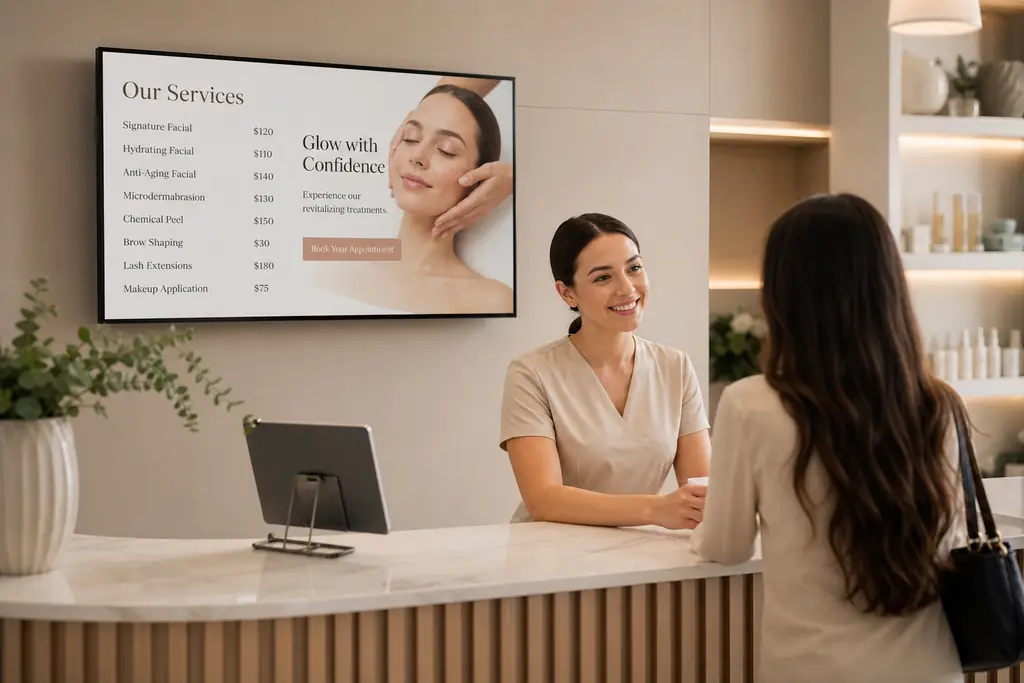
- Treatment menus & live pricing
- Promote gift cards & packages
- Auto-pull your Instagram feed
- Star Google reviews on display
The problem
Static screens cost you sales.
Treatment menus get outdated
A laminated price list is the first thing clients judge — and yours hasn't changed since 2022.
Add-on revenue left on the table
No one upsells the £45 scalp massage if it never makes it past the booking page.
Awkward wait-time silence
A blank waiting area feels clinical. A great screen feels considered.
What to put on screen
Content that drives action.
Treatment menus
On-brand service lists with pricing, duration and "book now" prompts.
Promotions & packages
Spotlight monthly offers, bridal packages and seasonal treatments.
Gift cards & loyalty
Drive impulse gift-card sales and promote your loyalty programme.
Reviews & social proof
Auto-rotate 5-star Google reviews and before/after Instagram posts.
Built for salons & spas
Everything you need, nothing you don't.
Instagram auto-feed
Connect your handle once — new posts appear on screen automatically.
Live Google reviews
Show your most recent 5-star reviews with the client name and date.
Update from your phone
Add a last-minute opening or push a promo between clients in seconds.
Beautiful by default
Designer templates so your screens always look like your brand.
Schedule by day
Weekday wellness content, weekend bridal promos — fully automated.
Multi-location ready
Each studio gets its own workspace, with brand-wide campaigns from HQ.
“Our gift-card sales over Christmas jumped 34% just by adding a rotating promo to the reception screen. BryteCast paid back in a week.”
FAQ
Questions, answered.
Can I pull in my Instagram feed automatically?+
Yes. Connect your Instagram handle once and new posts appear on screen automatically — no manual uploads.
Will it match my brand?+
Yes. Upload your logo, set your colours and fonts, or paste a Canva design directly. No engineer required.
Can I promote different things in different rooms?+
Yes. Use screen groups so the treatment-room screen shows aftercare content while reception promotes gift cards.
Is it really 2 minutes to set up?+
For your first screen, yes. Plug in a Firestick, open a browser to the player URL, enter the pairing code — done.
Get started
Ready to upgrade your screens?
Start your 7-day free trial. No credit card required — pair your first screen in minutes.