
Clear announcements.
Every corridor.
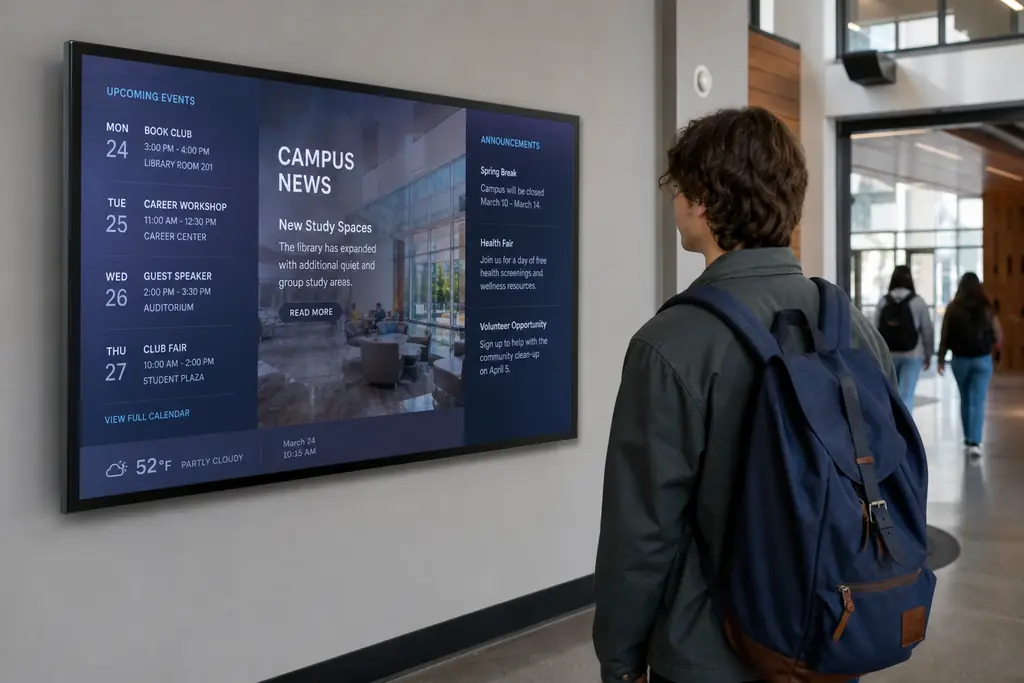
Replace static noticeboards with cloud-managed screens that update in real time — from exam timetables to emergency alerts.
- Event boards & daily announcements
- Exam and room-change alerts instantly
- Wayfinding for open days and visitors
- Browser-based — no media players to buy
The problem
Static screens cost you sales.
Paper notices get missed
Pinned flyers fade, tear, and never reach students between classes.
Room changes cause chaos
A cancelled lecture on a printed timetable wastes everyone's time.
Events under-promoted
Open days, clubs, and fundraisers need visibility where footfall is highest.
What to put on screen
Content that drives action.
Daily announcements
Rotating messages for events, deadlines, and campus news.
Timetables & exams
Live schedules outside lecture halls and exam rooms.
Wayfinding
Direct visitors to departments, open days, and registration desks.
Emergency alerts
Push safety notices to every screen in seconds from the cloud.
Built for schools & campuses
Everything you need, nothing you don't.
Update from any device
Reception, admin, or comms teams publish from a browser — no IT ticket.
Use existing displays
Smart TVs and commercial panels in lobbies and halls — no extra hardware.
Schedule by term
Exam season content, holidays, and welcome-week loops on autopilot.
Role-based access
Give departments editor access without opening the whole network.
Screen status
See which displays are online across campus at a glance.
Instant overrides
Broadcast urgent messages to all screens immediately.
“We replaced six noticeboards with BryteCast screens. Room changes now appear before the bell rings — and parents notice the difference on open days.”
FAQ
Questions, answered.
Do we need specialist signage hardware?+
No. BryteCast is cloud-based SaaS — open the player in a browser on any smart TV or display and pair with a 6-character code.
Can different buildings run different content?+
Yes. Use workspaces and screen groups so each site or faculty manages its own playlists.
Is it suitable for emergency messaging?+
Yes. Push an override playlist to every screen from your dashboard in under a minute.
Who can publish content?+
You control roles — owners, admins, editors, and viewers — so only authorised staff can make changes.
Get started
Ready to upgrade your screens?
Start your 7-day free trial. No credit card required — pair your first screen in minutes.