
Promotions that sell.
While customers browse.
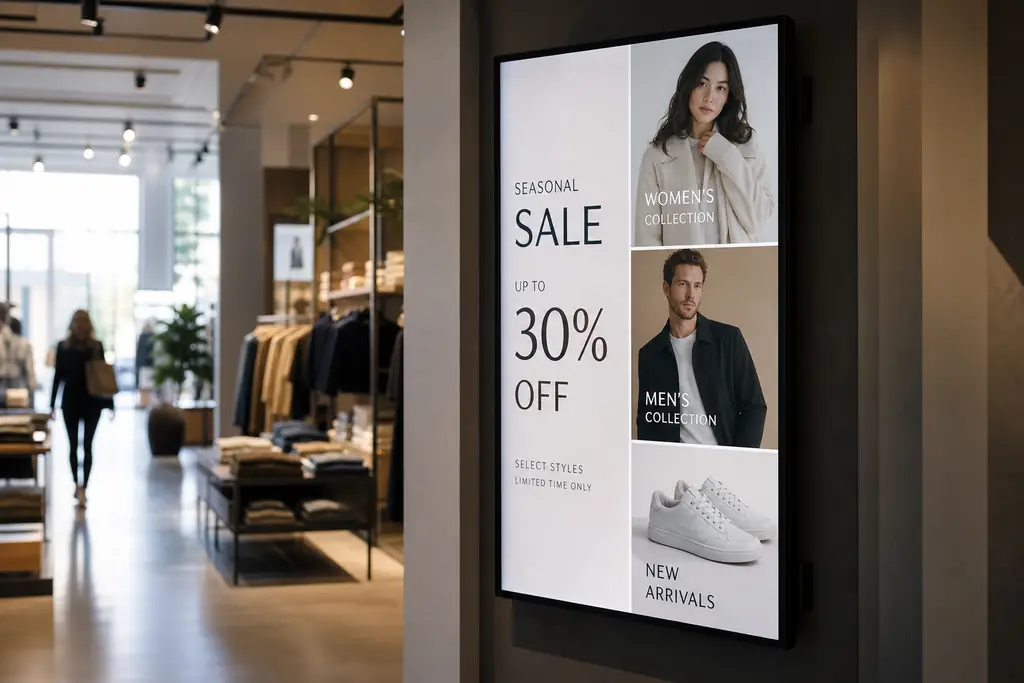
Turn window displays and in-store screens into always-on sales tools — updated from your phone between rushes.
- Seasonal promos & flash sales
- Product highlights near the till
- Queue messaging that reduces walk-outs
- Cloud SaaS — no streaming sticks required
The problem
Static screens cost you sales.
Static POS gets ignored
Printed sale tags blend into the fixture — customers stop noticing.
Slow days stay slow
Without a fast way to push mid-week offers, footfall never converts.
Queues feel longer
Blank screens at checkout miss the perfect moment to upsell.
What to put on screen
Content that drives action.
Promotions & sales
Rotate limited-time offers, bundles, and clearance lines automatically.
Product spotlights
Hero new arrivals with photography, price, and short feature copy.
Reviews & social proof
Show Google ratings and UGC to build trust at the point of purchase.
Queue & checkout screens
Upsell accessories and loyalty sign-ups while customers wait.
Built for retail
Everything you need, nothing you don't.
Update between customers
Change a window campaign from your phone without closing the shop.
Any display works
Smart TVs, commercial panels, and tablets — browser pairing only.
Daypart scheduling
Morning commuter offers, lunchtime bundles, evening events — on autopilot.
Multi-store control
HQ pushes brand campaigns; each store localises pricing and stock messages.
Live screen status
Know which displays are online before a busy weekend.
Instant overrides
Flash a closure or safety notice to every screen immediately.
“We run weekend promos on every screen from one dashboard. Markdown items move twice as fast when they are on the window display, not a sticker.”
FAQ
Questions, answered.
Do I need a Fire Stick or media player?+
No. BryteCast runs in the browser on the displays you already have. Pair with a code and manage everything from the cloud.
Can I schedule campaigns in advance?+
Yes. Build playlists and schedules so seasonal content switches automatically.
Does it work for single-location shops?+
Absolutely. The Starter plan includes three screens — enough for window, floor, and till.
Can I show video and images?+
Yes. Mix images, video, text announcements, YouTube, Canva designs, and more in one playlist.
Get started
Ready to upgrade your screens?
Start your 7-day free trial. No credit card required — pair your first screen in minutes.