
Live Class Timetables: Syncing Schedules Without Manual Staff Updates
Guides 11 min read
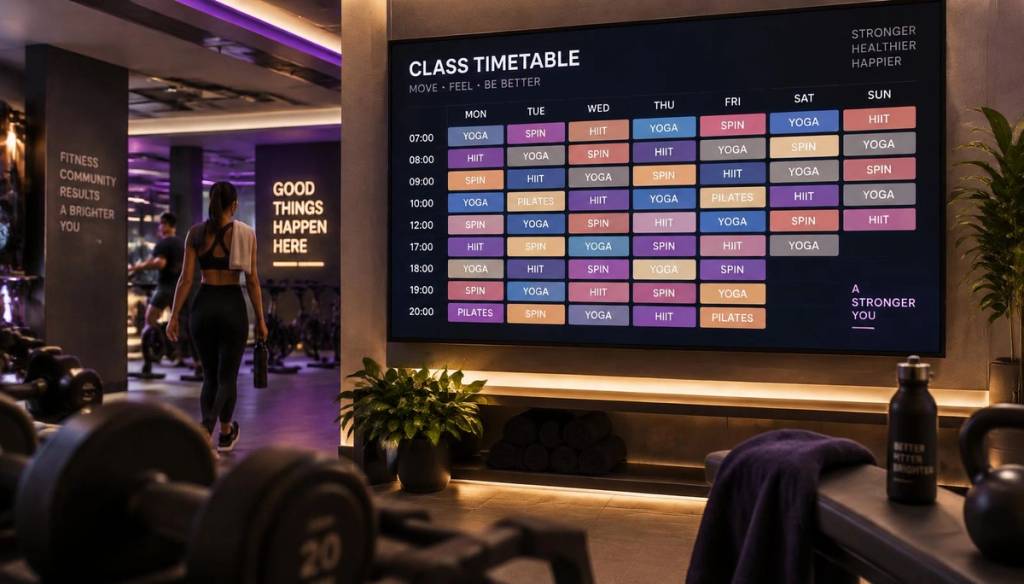
Manual scheduling swallows an astonishing 70 to 105 hours per term for many organisations that still update timetables by hand. That's the reality behind live class timetables: syncing schedules without manual staff updates has become one of the most practical upgrades a UK gym or fitness studio can make to its front-of-house operation.
If your reception team is still rewriting whiteboards, reprinting laminated schedules, or manually editing a PowerPoint slide every time a class changes, this guide is for you.
Key Takeaways
- Manual timetable updates cost real staff hours every single week, time that could be spent on the gym floor with members.
- Live class timetables sync automatically the moment a class is added, moved, or cancelled, with no reprinting or re-editing required.
- Digital signage software UK providers like Brytecast let you push a live schedule to every screen from your phone.
- Cloud digital signage removes the need for on-site installers or IT support to manage updates.
- Remote screen management means multi-site gyms can update every location's timetable from one dashboard.
- Playlist scheduling software lets you rotate timetables, promotions, and trainer profiles automatically throughout the day.
- See how it applies specifically to fitness businesses on the gyms & fitness use case page.
What Live Class Timetables Actually Solve for Gyms
Most gyms and studios run dozens of classes a week across multiple rooms, instructors, and time slots. Every time one of those variables shifts, whoever is responsible for the timetable has to manually update it, often across several places at once.
Live class timetables solve this by connecting your schedule to the screens directly. Instead of a static image or printed sheet, the timetable pulls the latest version automatically, so members always see what's actually happening that day.
This is the core promise of syncing schedules without manual staff updates: one change, made once, appears everywhere it needs to.
The Real Cost of Manual Class Schedule Updates
It's easy to underestimate how much admin time class schedule changes really cost. A last-minute instructor swap, a cancelled spin class, or a new HIIT session added for the summer all trigger a chain of manual edits.
Research from the International Journal of Computer Science and Mobile Computing found that manual timetabling typically takes 12 to 15 days to build and maintain properly, a figure that drops to just 3 to 5 days once automated scheduling tools take over the heavy lifting.
For a busy studio, that difference isn't trivial. It's the equivalent of freeing up an entire team member's working week, every single month.
Did You Know? Manual timetables take 12 to 15 days to build and maintain, dropping to just 3 to 5 days with automated scheduling systems. Source: International Journal of Computer Science and Mobile ComputingHow Live Class Timetables Sync Schedules Without Manual Staff Updates
The mechanics are simpler than most gym owners expect. You connect your class schedule (or update it directly inside your signage dashboard), and the display refreshes automatically wherever it's shown.
There's no need to export a new image, re-upload a file, or physically visit each screen. This is exactly why live class timetables: syncing schedules without manual staff updates has become such a popular search among UK gym managers looking to cut admin.
Brytecast's approach, for example, treats your weekly timetable as a live auto-rotating display rather than a fixed graphic. Change a class time on your phone, and it updates on the lobby TV within moments.
- Classes added, moved, or cancelled reflect instantly across every screen
- No agency, designer, or IT support required for day-to-day changes
- Works across multiple locations from a single login
Setting Up Automated Class Timetable Displays: A Practical Walkthrough
Getting started is far less technical than most gym owners assume. Brytecast's how it works process breaks it down into three steps.
- Pair your screen. Connect any TV, Firestick, or browser display using a simple six-digit code, no installer visit required.
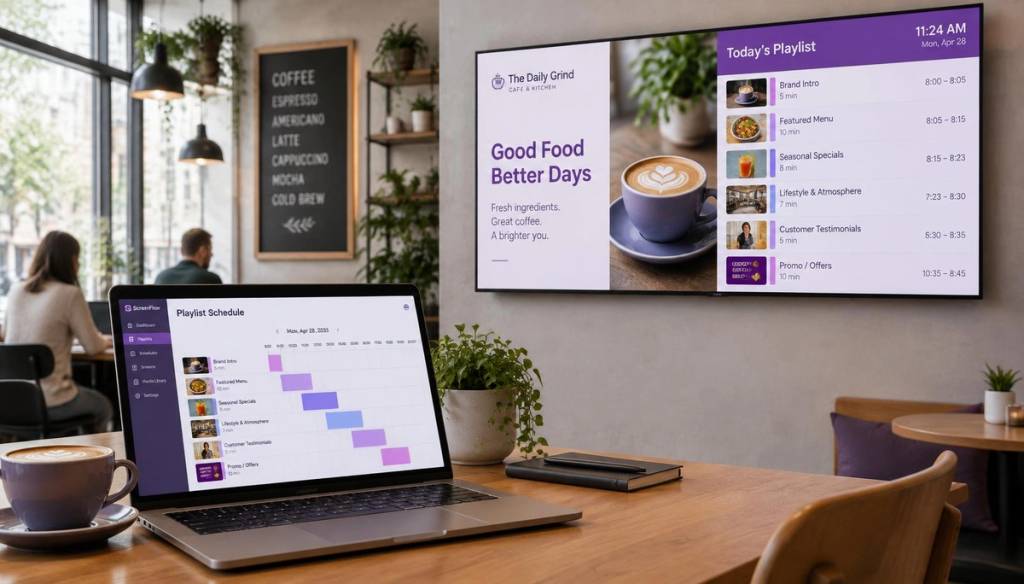
- Build your playlist. Upload your class timetable content and sequence it alongside promotions or trainer profiles.
- Push live. Assign the playlist to your screens and updates appear in real time from that point forward.
This is what playlist scheduling software is designed for: setting content once and letting it rotate automatically, rather than manually swapping images every day.
Brytecast's Scheduling Features for Gyms & Fitness Studios
Brytecast was built with fitness venues specifically in mind, which is why its gyms and fitness use case leads with live class timetables rather than generic signage templates.
- Auto-rotating weekly schedule that updates the second a class changes
- PT and coach profiles shown alongside the timetable to promote bookings
- Promotions and offers pushed to screens in seconds without needing a design agency
- Member milestones to keep the lobby screen feeling personal, not just transactional
- Multi-location ready rollout for gyms running more than one site
Because it's built as cloud digital signage, none of this requires an on-site server or dedicated IT resource. Staff simply log in, make the change, and the screens catch up automatically.
Common Pitfalls When Automating Class Timetable Displays
Automation removes admin, but only if it's set up correctly from the start. A few recurring mistakes crop up across UK gyms adopting this approach for the first time.
- Treating the timetable as a static image. If your "live" schedule is really just a picture uploaded weekly, you haven't actually automated anything.
- Not assigning clear ownership. Even automated systems need someone responsible for entering the initial class data correctly.
- Ignoring multi-screen consistency. Make sure every screen, from reception to the studio corridor, pulls from the same source.
- Overlooking offline resilience. Good digital signage software UK providers include offline caching so screens don't go blank during a broadband outage.
- Skipping a trial period. Test the sync with real class changes before relying on it fully for member-facing communication.
Choosing the Right Digital Signage Software UK for Your Gym
Not every digital signage software UK gyms come across is built for scheduling-heavy environments. Some tools are designed purely for static menu boards or advertising loops, with scheduling treated as an afterthought.
When evaluating options, look specifically for digital signage for small business that supports live, editable timetables rather than fixed image uploads. Ask whether updates require a re-export and re-upload, or whether they push through automatically once you save a change.
Brytecast's features page highlights exactly this distinction, positioning "minutes to live" updates and instant pushes as core to the platform rather than a premium add-on.
Cloud Digital Signage vs Manual Updates: What Gyms Should Know
Cloud digital signage means your content lives online rather than on a memory stick plugged into the back of a TV. This matters enormously for class timetables, which change more often than almost any other type of gym signage content.
With a cloud-based system, a change made from your phone in the car park reaches every connected screen within moments. There's no need to physically visit each display or re-flash a USB drive.
Did You Know? Automated scheduling systems achieve over 95% efficiency in resource utilisation, compared to less than 40% for manual methods. Source: International Journal of Computer Science and Mobile ComputingRemote Screen Management for Multi-Site Gyms
Gym chains and franchise studios face a specific version of this problem: keeping timetables consistent across several branches at once. Remote screen management solves this by letting one person, or one small marketing team, control every screen in every location from a single dashboard.
Brytecast's dashboard is built around exactly this need, showing active screens, active playlists, and storage used in one overview. Screen management software like this removes the need for a dedicated IT contact at each site.
This is particularly relevant for operators who also run adjacent services, such as the reception displays covered in Brytecast's salons and spas use case, where the same real-time update logic applies to service menus and offers.
Digital Signage Pricing UK: What to Budget For
Digital signage pricing UK gyms typically encounter falls into tiered plans based on screen count and feature depth. Brytecast's own pricing page is a useful benchmark for what to expect.
| Plan | Price | Best suited to |
|---|---|---|
| Starter | From £25/month | Single-site studios with up to 3 screens, basic content scheduling and screen grouping |
| Business | From £69/month | Multi-location gyms needing branding templates and priority support |
| Growth | From £119/month | Larger chains wanting unlimited screens and white-labelling |
All plans start with a 7-day free trial, which is a sensible way to test whether live class timetables: syncing schedules without manual staff updates actually reduces your team's workload before committing.
Digital Display Software UK: Comparing Your Options Beyond Gyms
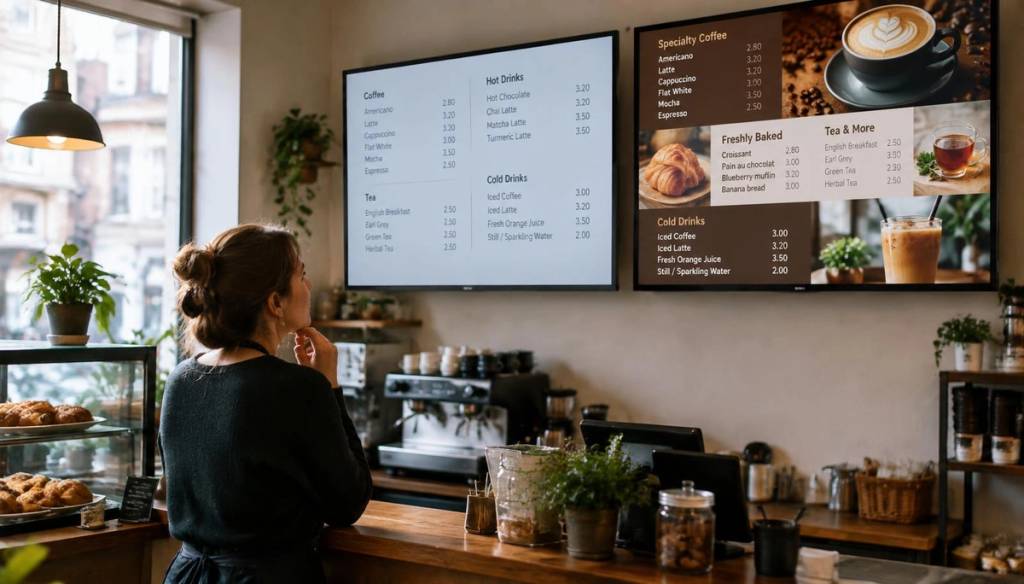
It's worth noting that digital display software UK businesses adopt for scheduling isn't limited to fitness. Cafés and restaurants use the same real-time update logic for menu boards, as shown on Brytecast's cafés and restaurants use case.
The underlying technology, cloud-hosted content that updates instantly across screens, is identical. What changes is simply what content sits on the timetable: classes and instructors for gyms, dishes and specials for hospitality.
If you're weighing up providers, it's worth checking whether support is genuinely reachable when something goes wrong. Brytecast's contact page is a good example of the kind of direct access smaller gyms should expect from a provider.
Conclusion
Live class timetables: syncing schedules without manual staff updates isn't a luxury feature reserved for big-budget chains. It's a practical fix for one of the most repetitive admin tasks in any gym or studio's week.
By moving to cloud digital signage with automated scheduling, staff stop reprinting timetables and start focusing on the floor. Members, meanwhile, see an accurate schedule every time they walk in, which matters more than most operators realise.
If manual updates are still eating into your team's week, it may be worth trialling a system built specifically around this problem rather than adapting generic signage software after the fact.
Frequently Asked Questions
What are live class timetables and how do they differ from a printed schedule?
Live class timetables are digital displays that update automatically whenever a class is added, moved, or cancelled, rather than requiring a new printout each time. This is the core idea behind live class timetables: syncing schedules without manual staff updates, and it removes the lag between a schedule change and members seeing it.
How much staff time does automating class schedules actually save?
Manual timetabling can take 12 to 15 days to build and maintain properly, according to research published in the International Journal of Computer Science and Mobile Computing, dropping to just 3 to 5 days with automated systems. For a busy gym, that translates into hours saved every single week rather than just once at setup.
Is cloud digital signage reliable enough for a busy gym reception?
Yes, most reputable cloud digital signage platforms include offline caching, meaning screens keep displaying the last confirmed timetable even if the internet briefly drops. This makes them just as dependable as a static printout, but with the added benefit of updating instantly once connectivity returns.
Can I update class timetables remotely from my phone?
Yes, remote screen management is one of the main advantages of modern digital signage software UK providers offer gyms. Platforms like Brytecast let you edit a timetable from your phone and have it reflected on every connected screen within moments, with no on-site visit required.
What's a realistic budget for digital signage pricing UK gyms should expect?
Entry-level plans typically start around £25 a month for a handful of screens, rising to around £69 to £119 a month for multi-location gyms needing branding templates or API access. Most providers offer a free trial period, which is worth using to confirm the scheduling automation genuinely reduces admin before committing to a paid tier.
Do I need IT support to set up automated class schedule displays?
No, most modern platforms are designed so non-technical staff can pair a screen using a simple code and manage everything through a web dashboard. This is a deliberate feature of digital signage for small business tools, which assume there's no dedicated IT department on hand.
Is automating gym class timetables worth it in 2026?
For any gym running more than a handful of classes a week, yes, the admin time saved and the reduction in member confusion typically outweigh the modest monthly cost. As more UK fitness operators adopt playlist scheduling software for this exact purpose, manually updated timetables increasingly stand out as an avoidable inefficiency rather than an acceptable norm.
Get started
Ready to upgrade your screens?
Start your 7-day free trial. No credit card required — pair your first screen in minutes.