
Why Your Breakfast Menu Isn't Updating (And The 07:00 Fix): Automating Café and Restaurant Digital Menu Boards for Breakfast, Lunch and Dinner Switchovers
Guides 12 min read
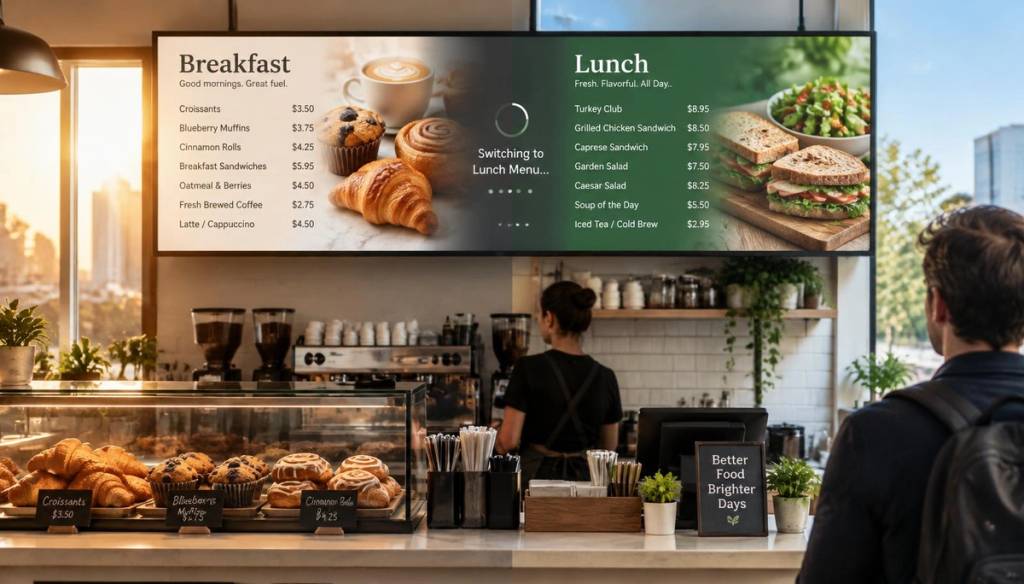
If your breakfast menu is still glowing on the screen at half past eleven while the bacon rolls have long since sold out, you're not alone, and the fix usually has nothing to do with your Wi-Fi. Studies show digital menu boards can lift sales by 5 to 37% in quick-service settings simply because the right content appears at the right moment, which is exactly the problem we're solving in this guide on automating café and restaurant digital menu boards for breakfast, lunch and dinner switchovers.
Key Takeaways
- Manual menu swapping is the root cause. If a member of staff has to remember to change the screen at 07:00, 11:00 and 17:00, it will eventually get forgotten.
- Daypart automation solves it permanently. Once you build a schedule inside a digital menu board platform, the switchover happens on its own, every single day.
- Offline reliability matters as much as scheduling. A good system keeps cached menus playing even if the router drops out mid-service.
- Multi-site cafés need centralised control. Multi-location use cases show how one dashboard can push the same breakfast rotation to every branch at once.
- Pricing is accessible for small operators. Plans start from £25 a month with a 7-day free trial, so testing daypart automation costs nothing upfront.
- Screen pairing is the hardest technical step, and it's still simple. Most setups use a six-digit pairing code rather than requiring an installer.
- The payback period is fast. Digital menu boards typically pay for themselves within 6 to 9 months once you factor in reduced print costs and pricing errors.
The 07:00 Problem: Why Your Breakfast Menu Isn't Updating Automatically
Every café we've spoken to has the same story. Someone opens up at 06:30, switches the display over to the breakfast menu, and life gets busy.
By the time lunch service starts, that same person is on a delivery run, or dealing with a queue, or simply forgot. The screen stays on breakfast pricing well into the lunch rush.
This isn't a staffing failure. It's a systems failure.
Manual menu swapping asks a person to remember a task at the exact moment they're least able to think about it. The fix isn't a reminder on a whiteboard. It's removing the human step entirely.
What Daypart Automation Means for Café and Restaurant Digital Menu Boards
Daypart automation is simply a rule that says: show this content at this time, then switch to something else, without anyone touching a remote or a tablet.
In practice, that looks like this:
- Breakfast content displays automatically from 07:00
- Lunch content takes over automatically from 11:00
- Dinner content switches in automatically from 17:00
You set this up once. It then runs every day, indefinitely, without anyone in the building needing to think about it again.
Our digital menu boards for cafés and restaurants are built specifically around this three-part daily rhythm, because it's the single most common request we hear from independent café owners.
Setting Up Automated Breakfast, Lunch and Dinner Menu Switchovers: A Step-by-Step Guide
You don't need technical training to do this. Here's the process from start to finish.
- Pair your screen. Connect any TV or display to a small streaming device, then enter a six-digit code shown on screen to link it to your account.
- Build three playlists. Create a Breakfast playlist, a Lunch playlist, and a Dinner playlist, each with your menu images, pricing, and any allergen information.
- Set your time rules. Assign Breakfast to start at 07:00, Lunch at 11:00, and Dinner at 17:00 (or whatever suits your service hours).
- Save the schedule. Once saved, the schedule repeats automatically every day of the week, or you can set different rules for weekends.
- Test it once. Watch the screen change over on its own the next morning, then never think about it again.
That's the entire setup. No installer, no IT ticket, no ongoing maintenance beyond updating menu items when your food changes.
Choosing Digital Signage Software UK Built for Multiple Dayparts
Not every piece of digital signage software UK cafés use is designed with hospitality in mind. Some platforms are built for offices, retail, or corporate lobbies, and treat scheduling as an afterthought.
When you're choosing a platform specifically for automating breakfast, lunch and dinner switchovers, look for these features:
- Time-based scheduling rules, not just manual content uploads
- Ability to set different playlists for different days (weekday vs weekend brunch, for example)
- Simple mobile access, so a manager can override a menu from their phone if needed
- Templates built for food and drink rather than generic retail signage
Our platform was designed around exactly this brief: control, schedule and update TVs from anywhere, with no installer required.
Did You Know? Automating your menu updates via cloud systems reduces annual manual labour costs by over a quarter (26%) by removing the need for staff to manually change screens. Source: Strategic Market ResearchScreen Management Software and Remote Screen Management: Never Touch a Screen Again
Once daypart automation is running, the next question is what happens when something needs changing mid-service. Maybe you've sold out of the full English, or the price of your flat white has gone up.
This is where proper screen management software earns its keep. Instead of walking over to the screen and fiddling with a remote, you make the change from your phone, and it updates on every paired screen within seconds.
Remote screen management also means you can hide a sold-out item instantly rather than disappointing customers who order something that's no longer available. Our café and restaurant use case page covers this "86-ing" feature in more detail, alongside daypart automation.
For anyone running more than one site, remote screen management stops being a nice-to-have and becomes essential. You shouldn't need to visit each branch to fix a pricing error.
Playlist Scheduling Software: Building Your Breakfast, Lunch and Dinner Rotation
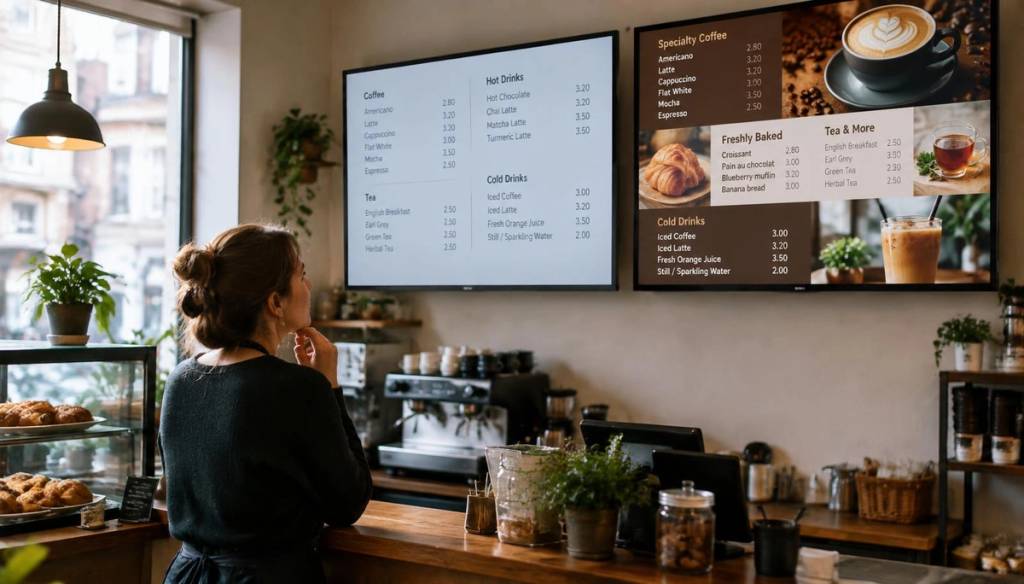
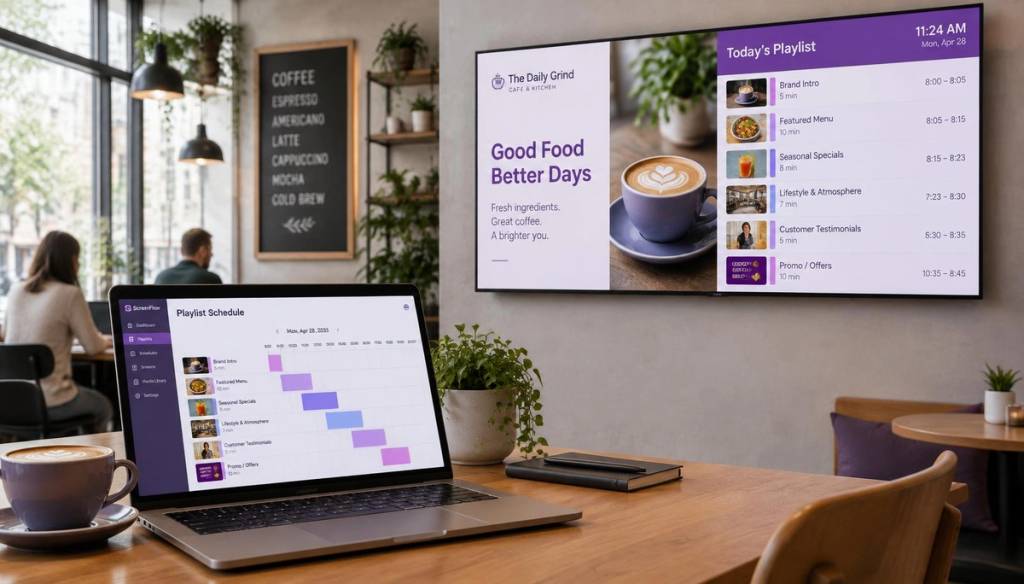
Playlist scheduling software is the engine behind daypart automation. Rather than one static image sitting on the screen all day, a playlist lets you rotate multiple items in sequence.
For a café, a typical breakfast playlist might include:
- The core breakfast menu with pricing
- A specials slide for anything seasonal
- An allergen information slide
- A short brand or social media slide to fill dead time
Because playlist scheduling software works on drag-and-drop sequencing, building this out takes minutes rather than hours. You're not writing code, you're arranging tiles in the order you want them to appear, then attaching a time rule to the whole playlist.
Our screens page walks through exactly how pairing, playlists and scheduling fit together on a single device.
Cloud Digital Signage and Offline Reliability: What Happens When the Wi-Fi Drops
Here's a question every café owner should ask before buying any system: what does the screen show when the internet goes down?
With cloud digital signage that has no offline mode, the answer is often a blank screen or an error message, right in the middle of your breakfast rush. That's worse than the manual problem you were trying to fix.
A properly built system caches your menus locally on the device itself. If connectivity drops, the last known playlist keeps playing exactly on schedule, and updates simply queue up until the connection returns.
Scheduled daypart content — breakfast, lunch, dinner — is where the real money sits.
Digital Signage for Small Business: Why This Matters More With No IT Team
Digital signage for small business owners has to work differently from the enterprise systems built for chains with dedicated IT departments. If you're running a single café with three staff on shift, you don't have time to log tickets or wait for a support call.
This is why daypart automation matters so much for independent operators specifically. It replaces a task that would otherwise fall on whoever happens to be behind the counter, and it does so without requiring any technical background.
The whole point of building software for digital signage for small business is removing friction, not adding another system to learn. Pairing a screen with a six-digit code, dragging images into a playlist, and setting three time slots is the entire learning curve.
Digital Signage Pricing UK: What Cafés and Restaurants Actually Pay
Digital signage pricing UK varies a lot depending on features, screen count and support level. For an independent café automating breakfast, lunch and dinner switchovers across one or two screens, plans typically start from £25 a month.
Here's roughly how the tiers usually break down:
| Plan | Best suited to | Typical starting point |
|---|---|---|
| Starter | Single café, one or two screens, daypart automation | From £25/month |
| Business | Restaurants needing multiple playlists, allergen updates, and pricing changes on the fly | Mid-tier pricing |
| Growth | Multi-site groups needing centralised control across every branch | Higher tier, scales with screen count |
Every tier includes a 7-day free trial with no credit card required, which means you can test whether automated switchovers actually solve your 07:00 problem before committing to anything. Full details sit on our pricing page.
Did You Know? Automated synchronisation reduces content delay by 31%, ensuring your lunch menu starts exactly when your breakfast service ends. Source: Strategic Market ResearchDigital Display Software UK for Multi-Site Café and Restaurant Groups
If you run more than one location, digital display software UK operators rely on needs to handle multi-site control without turning into a full-time job.
Look for a system that lets you build one breakfast, lunch and dinner rotation, then push it to every branch at once, with the option to tweak local specials per site. This is exactly the gap our use cases overview addresses for growing café groups.
Centralised control also means pricing consistency. If head office changes a price, it updates everywhere simultaneously rather than relying on each branch manager to make the change manually.
Manual menu swapping fails at the exact moment you're too busy to notice. Automation removes that failure point entirely.Conclusion
The reason your breakfast menu isn't updating has nothing to do with staff carelessness. It's the natural result of asking a person to remember a manual task during the busiest hours of the day.
The 07:00 fix is straightforward: automate the switchover using daypart scheduling, so breakfast, lunch and dinner menus change themselves on a fixed timetable. Once you've set up automating breakfast, lunch and dinner menu switchovers for café and restaurant digital menu boards, the problem simply stops recurring, whether you run one till or ten branches.
With plans starting from £25 a month and a 7-day free trial to test it properly, there's very little reason to keep manually swapping menu boards in 2026.
Frequently Asked Questions
How do I automate breakfast, lunch and dinner menu switchovers on a digital screen?
You pair your screen using a short code, build separate playlists for each meal period, then attach a time rule to each one (for example, Breakfast from 07:00, Lunch from 11:00, Dinner from 17:00). Once saved, the schedule repeats automatically every day without any manual input.
Why does my digital menu board still show breakfast items during lunch service?
This almost always means the screen is being switched manually rather than on an automated schedule. Setting up daypart automation removes the need for anyone to remember the changeover, which permanently fixes the delay.
Is digital signage software UK actually worth it for a small independent café?
Yes, particularly given digital menu boards typically pay back their cost within 6 to 9 months through reduced printing and fewer pricing errors. With plans from £25 a month and a free trial, the entry cost for a single café is low relative to the time saved.
What happens to my digital menu board if the internet or Wi-Fi goes down?
A properly configured system caches your current playlist locally on the device, so the screen keeps playing your scheduled breakfast, lunch or dinner content even during an outage. Updates simply queue and sync once the connection returns.
Can I manage screens across multiple café or restaurant locations from one dashboard?
Yes, multi-site control lets you build one core breakfast, lunch and dinner rotation and push it to every branch simultaneously, while still allowing local specials at individual sites. This is standard on Business and Growth tier plans.
How much does digital signage pricing UK typically cost for a café with one or two screens?
Entry-level plans for a single site with basic daypart scheduling generally start from around £25 a month. Costs rise depending on screen count, multi-site features, and how much support or customisation you need.
Do I need technical or IT knowledge to set up automated menu switching?
No, the process is designed for non-technical small business owners and typically involves pairing a screen with a six-digit code, then dragging menu images into a playlist with a time rule attached. Most café owners have their full breakfast, lunch and dinner schedule running within an afternoon.
Get started
Ready to upgrade your screens?
Start your 7-day free trial. No credit card required — pair your first screen in minutes.