
Retail Digital Signage UK: A Practical Guide for Independent Shops
Use cases 12 min read
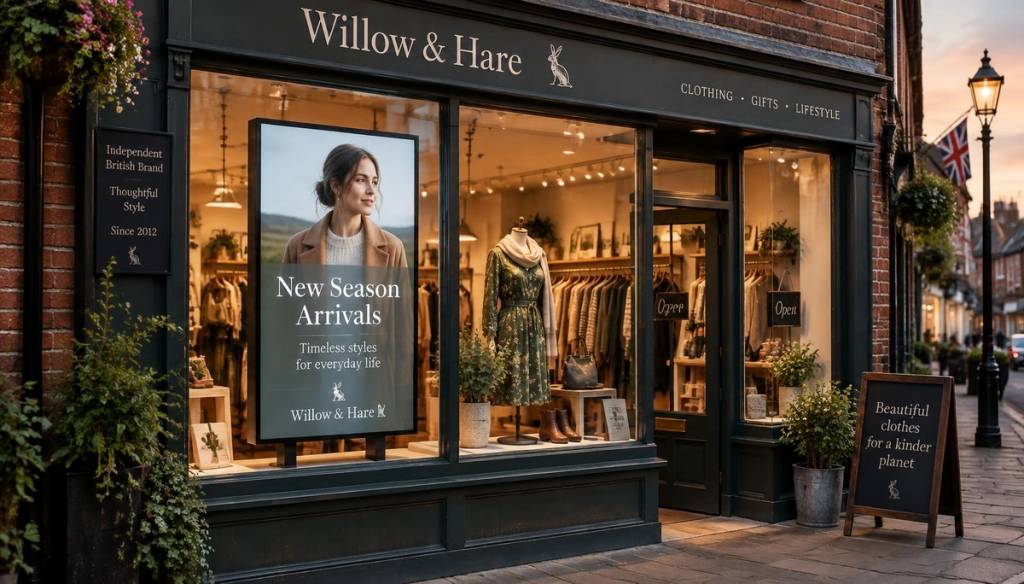
If you're weighing up retail digital signage UK options for the first time, the appeal is obvious enough: a screen in the window can change what it says every hour, and a printed poster can't. What's less obvious is how to make that actually pay off. This guide covers what to put on screen, where to place it, how bright it needs to be, and how to run screens across more than one shop without it becoming a job in itself.
Key Takeaways
| Point | Why it matters |
| A screen isn't a TV | Consumer TVs weren't built for all-day use or bright windows and often fail within a year or two. |
| Content needs a purpose | Every slide should sell something, tell a story, or move someone towards the till. |
| Window brightness matters more than screen size | A dim screen behind glass in daylight is invisible, no matter how big it is. |
| Scheduling beats guesswork | Different promotions work at different times of day, and screens can switch automatically. |
| Multi-shop management needs a cloud tool | USB sticks and in-person updates don't scale past one location. |
| Budget realistically | A sensible first screen setup for one shop in the UK typically runs to a few hundred pounds plus a modest monthly software fee. |
For a broader look at what's involved in fitting out a shop with screens, our retail use case page covers hardware and setup for digital signage for small retailers in more depth.
What Actually Works: Content for Retail Digital Signage UK Screens
The mistake most shops make isn't buying the wrong screen, it's putting the wrong content on the right screen. A screen showing the same static logo all day is barely better than a poster, and costs more to run.
Content that earns its keep tends to fall into a few categories:
- Current promotions: today's offer, this week's discount, a bundle deal, or a "last chance" flash sale.
- Product highlights near the till: the thing you want people to add on, not just the thing they came in for.
- Social proof: Google reviews, a five-star rating, or a genuine customer photo.
- Practical information: opening hours, click-and-collect details, or "we now stock" announcements.
- Seasonal or event-led content: Christmas opening times, a bank holiday sale, or a local event tie-in.
Boutiques, homeware shops and garden centres all use this mix slightly differently, but the principle holds across the board: promotional screens in a shop work best when they're doing one clear job at a time rather than trying to be a general advert for the business.
Where to Place Screens: Shop Window Digital Signage vs In-Store Digital Screens
These are two different jobs, even though the hardware might look similar. Shop window digital signage has to work for people who aren't inside your shop yet and might only glance for two or three seconds while walking past.
In-store digital screens, by contrast, get a captive audience who are already engaged and moving more slowly. That means:
- Window screens need big, simple messages: one offer, one image, minimal text, high contrast.
- Till-point screens can carry more detail: pricing, features, a short product story.
- Fitting room or waiting-area screens suit slower content like styling tips, reviews, or loyalty scheme details.
A common approach for independents is one window-facing screen for footfall, plus one or two in-store digital screens near the till or a key display table. That's usually enough to make a genuine difference without cluttering the shop.
Getting the Window Right: Brightness, Glare and Viewing Angles
This is the part most first-time buyers underestimate. A screen that looks perfectly bright in a showroom can be almost unreadable in a west-facing shop window at 3pm.
A few practical points worth knowing before you buy:
- Brightness is measured in nits. Consumer TVs typically sit around 300 to 400 nits. For a window facing direct sun, you want a commercial display rated at 700 nits or higher, ideally 1,000+ for south-facing windows.
- Anti-glare or matte finishes help reduce reflections from streetlights and passing traffic at night.
- Angle the screen slightly rather than laying it flat against the glass, this cuts down on glare from overhead lighting.
- Avoid direct sunlight hitting the screen itself where possible, both for visibility and because heat shortens the life of the panel.
None of this needs to be complicated or expensive, but it's worth getting right once rather than replacing a screen after six months because it was never visible in daylight.
Scheduling Promotional Screens in Shop by Day and Time
One advantage a screen has over a printed poster is that it can change on its own. A garden centre might show plant care tips on a quiet Tuesday morning and switch to weekend BBQ offers by Friday afternoon.
Some scheduling patterns that work well for independents:
- Morning: opening offers, breakfast or coffee tie-ins, "new stock in today" messages.
- Lunchtime rush: quick, simple promotions aimed at passing footfall rather than browsers.
- After-school and early evening: family-focused offers, or last-orders reminders for off-licences and pharmacies.
- Weekends: higher-value promotions, bundle deals, and events, since weekend footfall tends to browse for longer.
The point of day-parting isn't complexity for its own sake. It's making sure the person walking past at 8am sees something relevant to them, rather than an offer aimed at Saturday shoppers.
Running Several Shops from One Place with Cloud Digital Signage Retail Tools
If you run more than one shop, or you're planning to, this is where the choice of platform actually matters. Updating screens shop by shop, in person, doesn't scale past a second location without becoming a genuine time cost.
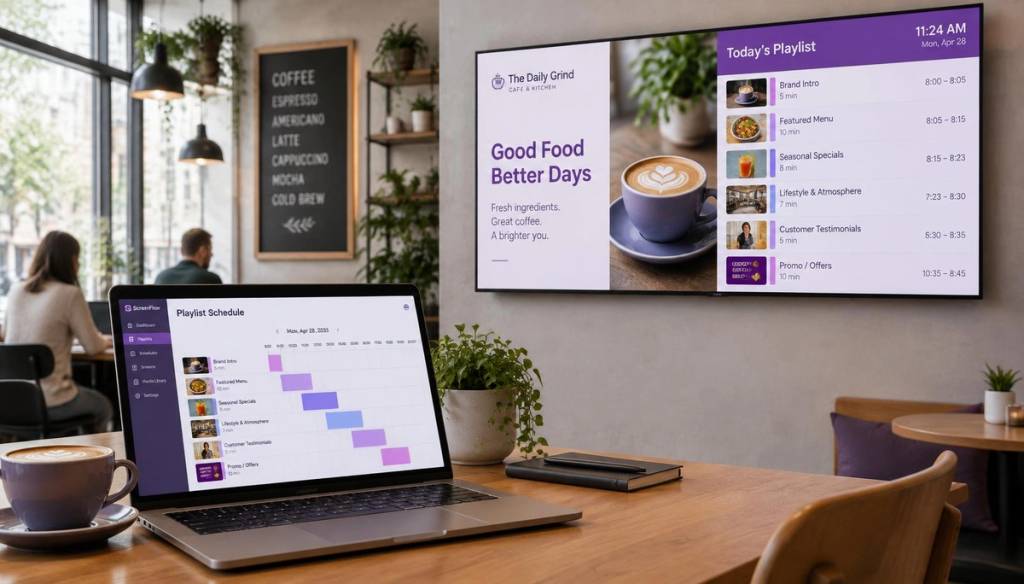
Cloud digital signage retail platforms solve this by letting you push a playlist change to one screen or a hundred screens from your phone or laptop, wherever you are. This is the model BryteCast is built around: pair a screen with a six-digit code, build a playlist once, and push it live across every shop in the group in minutes.
What to look for in a multi-site setup:
- Central scheduling, so a head office (or you, on a Sunday evening) can set next week's promotions across every branch at once.
- Per-shop overrides, so a manager can still push a local offer without waiting for approval.
- An activity log, so you can see what's been changed and when, useful if something goes wrong.
- Offline playback, so a shop with patchy broadband doesn't go blank if the connection drops.
Retail Screen Displays UK: Hardware Options and What They Cost in Pounds
Costs vary a fair bit depending on screen size and whether you're fitting a single shop window or several branches. Here's a realistic breakdown for an independent shop in the UK.
| Item | Typical UK cost |
| Commercial display, 32"-43", bright enough for a window | £350-£700 |
| Larger commercial display, 50"+, in-store use | £700-£1,400 |
| Mounting bracket and installation | £50-£150 |
| Media player (if not built into the screen) | £40-£120 |
| Cloud signage software, per screen, per month | Roughly £20-£110 depending on plan and features |
Software plans generally scale by the number of screens and the features you need, from basic playlists to real-time syncing and API access. Our pricing page lays out the different tiers if you want exact current figures.
For a single shop, a sensible first setup, one commercial display, a mount, and a basic software plan, generally comes in under £800 all in, with an ongoing monthly software cost from there.
Common Mistakes with Retail Digital Signage UK Setups
Most problems with retail signage aren't technical, they're operational. Here's what tends to go wrong.
Screens left showing the wrong promotion
An offer that ended last Tuesday is still playing on Saturday because nobody remembered to swap it. This is the single most common issue, and it's entirely avoidable with scheduled content that expires automatically rather than relying on someone's memory.
USB stick workflows
Some shops still update screens by walking round with a USB stick, editing a slideshow on a laptop, and physically loading it onto each display. This works for a single screen and a patient owner, but it breaks down completely the moment you open a second shop or want to change something outside working hours.
Consumer TVs in shop windows
A high street TV bought for the living room isn't built for twelve hours a day of direct sunlight and heat behind glass. Panels dim, colours shift, and many fail within a year or two of constant window use, which usually ends up costing more than a proper commercial display would have.
No plan for content, just a screen
Buying a screen without deciding what's going on it, and when, is the most expensive version of this mistake. Even a simple plan (one offer for the window, one for the till, refreshed weekly) beats a blank or static screen every time.
Choosing a Platform for Digital Signage for Small Retailers
Independent shops don't need enterprise software built for a supermarket chain. What's actually useful is something simple enough to update from a phone between customers, but capable enough to handle scheduling and multiple screens as you grow.
BryteCast was built around that idea directly: if you can build a playlist on Spotify, you should be able to run digital signage without training or an installer on call. It covers image and video uploads, scheduled playlists, Google Reviews display, and real-time sync across screens, all managed from one dashboard. You can see how other sectors approach it on the use cases overview, or read the small business guide if you're starting with a single site.
Whichever platform you choose, the test is simple: can you change what's on screen in under a minute, from wherever you happen to be standing?
Conclusion
Retail digital signage UK setups don't need to be complicated or expensive to make a real difference to footfall and basket size. Get the brightness right for your window, keep content purposeful and scheduled by time of day, and choose a management tool that lets you update every screen from your phone rather than a USB stick. Done properly, a single well-placed screen in the window and one more near the till is enough for most independent shops to start seeing the benefit.
Frequently Asked Questions
Is retail digital signage worth it for a small independent shop in the UK?
For most shop types it pays for itself reasonably quickly through better footfall conversion and higher basket size, provided the content is kept current and the screen is bright enough for its position. A single window screen with scheduled promotions is usually the best starting point for digital signage for small retailers.
What screen brightness do I need for a shop window?
Aim for at least 700 nits for a window that gets direct sunlight, and 1,000 nits or more for south-facing windows. A standard consumer TV, usually 300-400 nits, will look washed out or invisible in daylight.
Can I use a normal Smart TV instead of a commercial display?
You can, but consumer TVs aren't designed for all-day operation or direct sun exposure and tend to fail faster in shop windows. A commercial-grade display costs more upfront but generally lasts significantly longer in that environment.
How do I manage screens across more than one shop location?
A cloud digital signage retail platform is the practical answer, letting you schedule content and push updates to every screen from one account rather than visiting each shop with a USB stick. This is exactly the problem tools like BryteCast are built to solve for multi-branch retailers.
How much does retail digital signage cost in the UK?
For a single shop, a sensible setup, one commercial display, mounting, and a basic cloud software plan, typically costs under £800 upfront, plus a monthly software fee from around £20 to £110 depending on features and screen count.
What should I actually put on a shop window screen?
Keep window content simple and high-contrast: one current offer, a seasonal promotion, or a single striking product image works better than a busy slideshow. Shop window digital signage gets glanced at for a few seconds, so it needs to communicate instantly.
How often should I update the content on my screens?
At minimum, review and refresh promotional screens in shop windows and in-store at least once a month, though weekly updates for current offers tend to work better for footfall. Scheduling software that automatically rotates or expires content removes the risk of an old promotion running past its end date.
Get started
Ready to upgrade your screens?
Start your 7-day free trial. No credit card required — pair your first screen in minutes.